
From storage aisles to conveyors and automated handling, a warehouse is easier to understand when you can see how everything fits together. K-Store’s Virtual Warehouse brings that perspective to life in 3D.
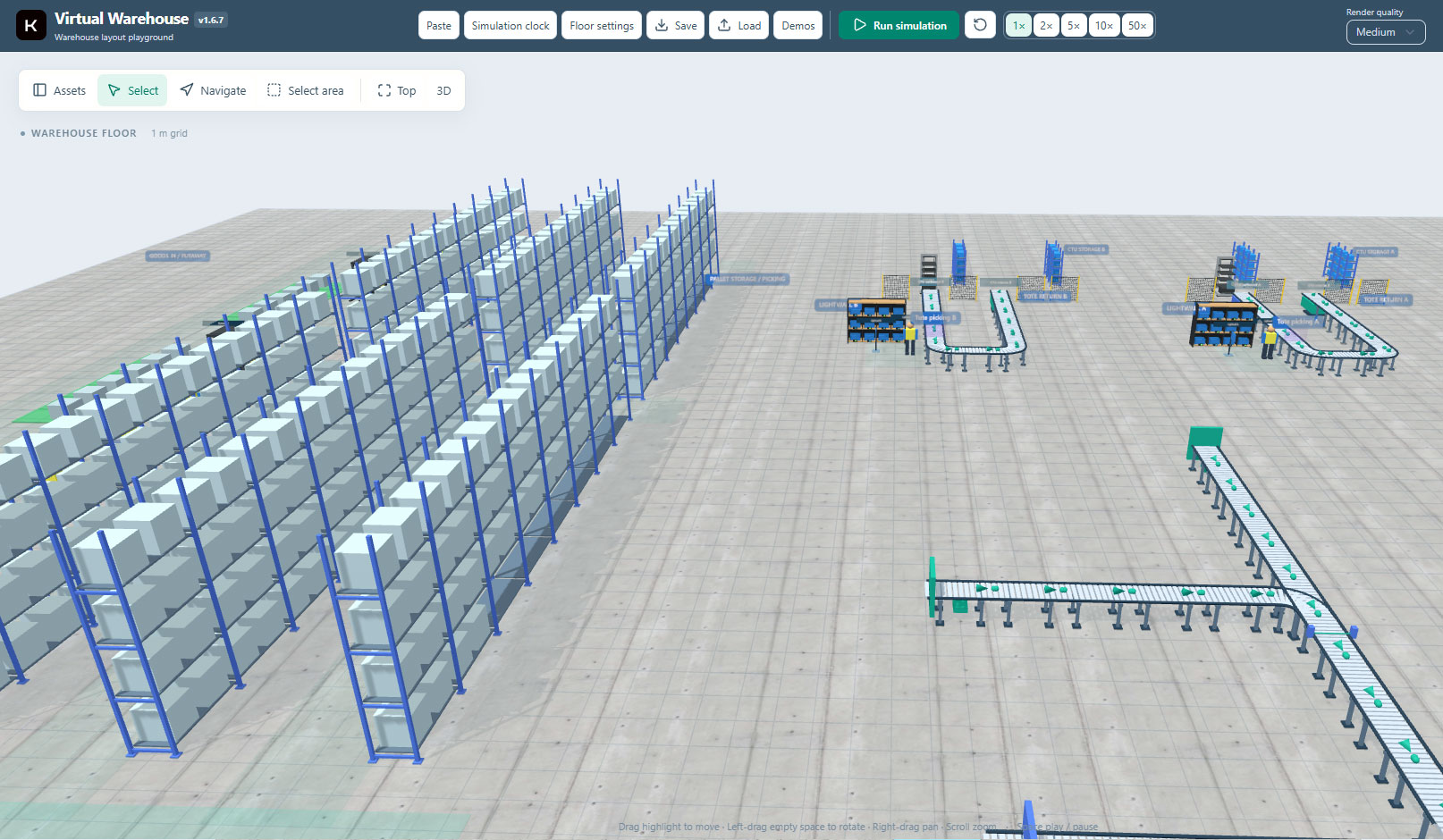
Our digital twin module gives teams a visual way to explore warehouse layouts alongside stock and location information. We have added new screenshots to the Virtual Warehouse page, showing both a wider warehouse arrangement and a closer look at automated storage and handling.
Put warehouse information into context
A stock record can tell you which location holds an item. A visual warehouse map adds the surrounding context: the aisle, the storage area and its position within the operation. In K-Store’s warehouse map, teams can rotate, pan and zoom through the 3D view, identify occupied and empty locations, and use item or batch filters to highlight matching stock.
Used alongside inventory views and operational dashboards, this helps teams relate warehouse information to the physical layout they work with every day.
Bring automation into the picture
The latest example screenshots also show how storage and material-handling equipment can be represented together. The wider layout includes pallet racking, conveyors and tote picking areas. A second view focuses on an AMR and CTU storage arrangement beside a roller conveyor.
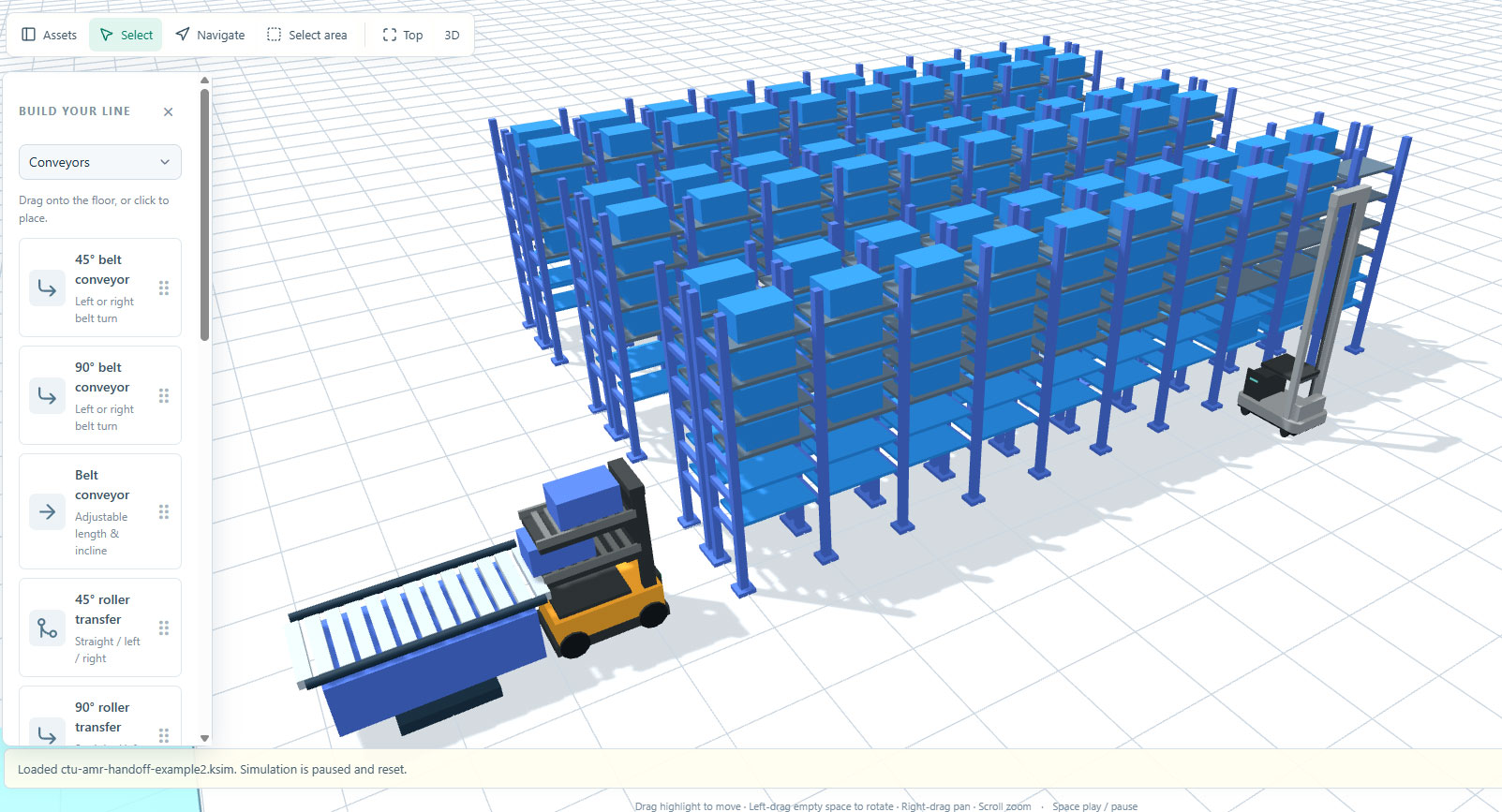
These views provide a useful starting point for conversations between warehouse teams, software specialists and automation partners. They make it easier to discuss where equipment sits and how the different areas of a proposed layout relate to one another.
Explore your own warehouse
Every operation has its own layout, processes and information needs. A demonstration is an opportunity to discuss your site, the views that would be most useful to your team and how Virtual Warehouse could fit into your wider K-Store setup.
Explore Virtual Warehouse and the new screenshots, or contact the K-Store team to arrange a demonstration.